
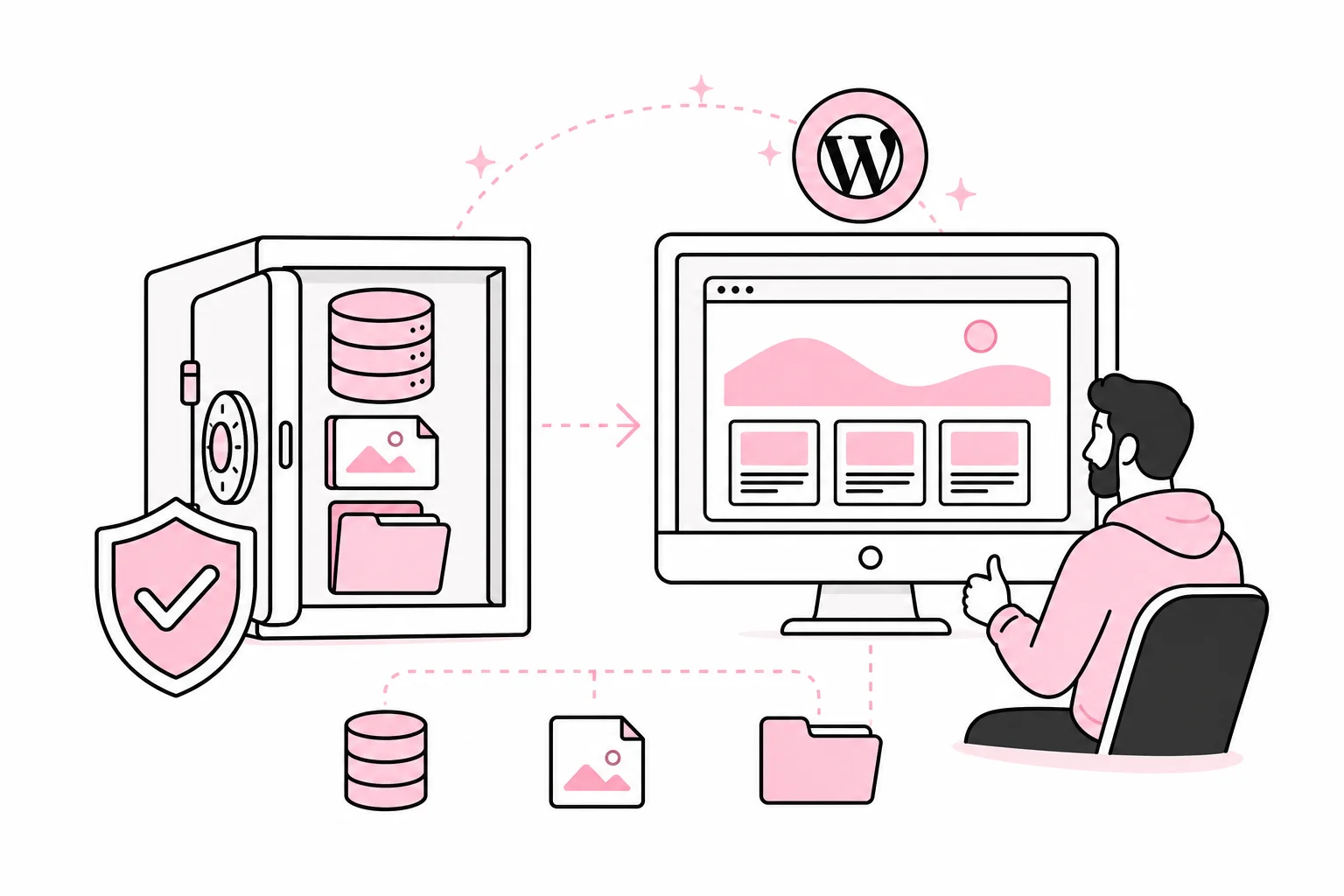
The specific question is simple: How do we know that the WordPress backup actually works? The answer is less reassuring: You only know once you have restored it and checked the result. A green check mark in a dashboard is comforting, but it is still just a promise from a machine that never has to explain itself in a crisis meeting.
A restoration test reveals more than corrupted backup files. It shows whether the right people have access, whether the documentation is accurate, whether the database and media files belong together, and whether the website can be returned to operation within an acceptable time. For business websites, testing should be a planned operational task, not an improvisation after data loss, an attack or an update that went sideways.
Determine What You Need to Be Able to Restore
A complete WordPress site normally consists of several parts: database, uploaded media files, theme, plugins, configuration and any server settings. In addition, the business may depend on data located outside WordPress, such as form submissions in an external system, search indexes, integrations, transaction data or files stored separately.
Therefore, start by defining what “restored” means for your website. It is not necessarily enough for the homepage to appear. An online store may need to display the correct products, prices and orders. A website that generates customer enquiries must be able to send forms and record consent. Membership solutions must preserve user accounts and access levels.
Two concepts make the assessment concrete:

- Acceptable data loss: How much new content or how many transactions can be lost? This determines how often backups must be taken.
- Acceptable downtime: How long can the website be unavailable or have reduced functionality? This affects how fast and automated the restoration needs to be.
A simple brochure website may be able to tolerate losing a few hours of changes. An active online store may have much stricter requirements. Backup frequency should follow the rate of change and the consequences of data loss, not a universal recipe from a plugin with a rocket illustration and the word “ultimate” in its name.
Test in an Isolated Environment, Not in Production
The restoration test must be carried out in a separate, access-restricted environment. Testing directly on the production website is roughly like practising firefighting by setting the reception desk on fire. It provides realistic conditions, but the method has certain administrative drawbacks.
The test environment should be technically comparable to production, but isolated so that it does not send real emails, process payments, notify customers or become visible to search engines. Personal data must be handled in accordance with the organisation’s requirements. If production data is copied, access should be restricted, and the data should be anonymised when the purpose allows it.
A Practical Test Sequence
- Choose a known restoration point. Note the backup time and which changes should be included.
- Create a clean test environment. Do not build on an old test installation full of unknown files and previous experiments.
- Restore the database and files. Follow the documented procedure without shortcuts known only to one developer.
- Update environment-specific configuration. Check the database connection, domain settings, caching, email and integrations.
- Scan and inspect the installation. A backup may contain vulnerable or compromised code if it was taken after the problem occurred.
- Test critical user journeys. Check more than whether a page opens.
- Measure the time required. Record the time from the decision to restore until the solution has been checked and is ready.
Be sceptical of solutions that promise full restoration with one click without explaining the prerequisites. One click is often the first step in a nine-step process, where step two is called “contact the technical person”.
Check Content, Security and Access
After restoration, you must check both functionality and integrity. Compare the numbers and dates for key content types, and open a selection of pages, images and documents. Test login, search, forms, navigation and any purchase or booking journeys. Also check scheduled tasks, caching, redirects and integrations on which the business depends.
The security check should cover the WordPress core, themes and plugins. Look for known vulnerabilities in the components you actually use, and remove software that is not needed. A deactivated plugin is still code on the server. It contributes about as much to security as an unlocked side door with a sign saying “not in use”.
Do not update everything indiscriminately in the middle of the restoration test itself. First, you should verify that the backup can recreate the expected state. Necessary security updates can then be carried out and tested in a controlled manner. If an older backup must be used after a breach, it may be necessary to update or replace vulnerable components before reopening the website.
Check Authentication and Access Control
- Confirm that only active users and suppliers have administrative access.
- Ensure that administrators use strong authentication, preferably with multi-factor authentication.
- Test that account restoration works without depending on a single person.
- Change passwords, API keys and other secrets if compromise is suspected.
- Check access to hosting, domain management, backup storage and external services, not just WordPress.
The backup should be stored separately from the website and protected with separate access controls. If an attacker or misconfigured process can delete both production and the backup using the same account, you effectively have two copies of the same problem.

Make testing a regular part of operations
How often should you test? There is no single right interval for everyone, but a typical business website should have a planned recovery test at least once or a few times a year, depending on risk and the pace of change. Online stores, membership solutions and business-critical services may need more frequent testing. Also test after major changes to hosting, backup tools, architecture or integrations.
Monitoring should support the process. Check whether backup jobs actually complete, whether file sizes or data volumes deviate unexpectedly, and whether the website’s critical functions work after changes. Alerts must go to a channel that someone monitors, with clear responsibility for follow-up. An alert that lands in a shared inbox no one owns is mostly just an electronic message in a bottle.
The documentation should be concise enough to use under pressure. Include where the backups are stored, who can approve a recovery, which access permissions are required, how the test environment is set up, what must be checked, and who can decide that the website is ready for production. If the procedure requires three status meetings before anyone is allowed to log in, the process has started protecting itself rather than the website.
End each test with a simple report: selected recovery point, actual data loss, time taken, deviations, and actions with an owner and deadline. This turns the test into a basis for better operations, not just an annual exercise in finding old passwords.
The most important conclusion is this: A backup is not a file or a subscription. It is a documented ability to restore the website to controlled operation. That ability must be tested while you still have time to discover that something is missing.