

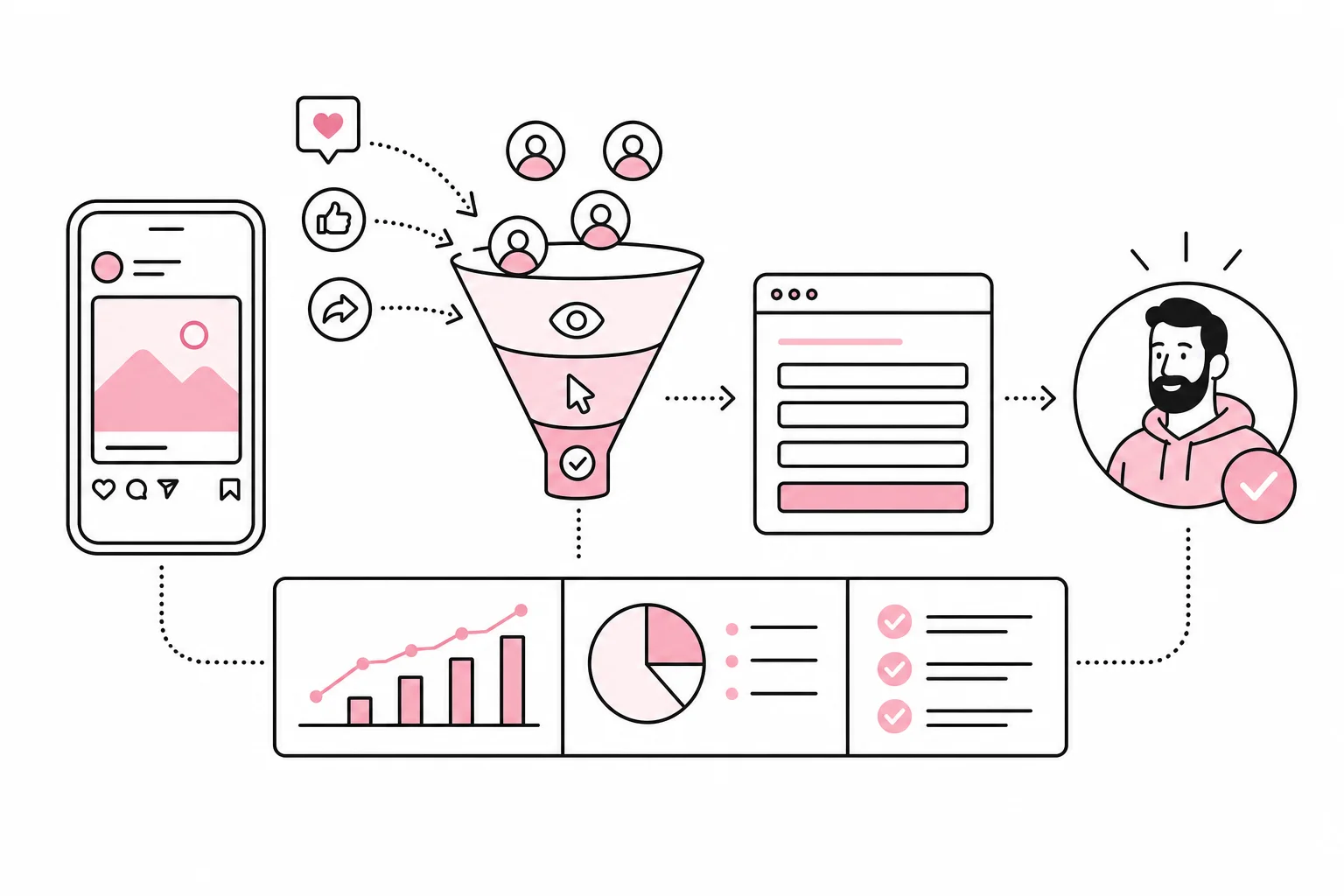
How do you know whether social media actually leads to sales, applications or qualified enquiries? The answer rarely lies in the number of followers. You need to connect activity in the channels to actions on the website and then to what happens in the sales process.
It sounds obvious, but many reports stop at reach, likes and video views. Such figures can say something about distribution and interest, but they do not document business value. Applause from the room next door is nice, but it does not tell you whether anyone went into the shop.
A useful measurement model does not need to be advanced. It needs to be consistent. You need a clear goal, trackable campaign links, defined actions on the website and a regular process for assessing the quality of the results.
Start with the question the report should answer
Before you open the analytics tool, you need to decide what social media should contribute. The goal should describe a specific business value, not just an activity. “We will publish three times a week” is a production plan. It is not an outcome goal.
Choose one or two main tasks for each channel or campaign. A recruitment process can be measured by relevant visits to job pages and completed applications. An expert campaign can be measured by downloads, sign-ups or qualified contact enquiries. An online shop can track product views, carts, purchases and revenue.
- Visibility: How many relevant people were exposed to the content?
- Interest: How many clicked, watched a substantial part of a video or visited a key page?
- Action: How many submitted a form, signed up, applied or purchased?
- Quality: How many actions developed into genuine sales opportunities, hires or profitable purchases?
This provides a simple measurement chain from awareness to value. Not every post is supposed to generate a sale directly. An expert post may introduce the company, while a later search or newsletter triggers the enquiry. The point is to know what job the content is intended to do, rather than expecting every Tuesday post to carry the entire sales budget on its shoulders.

Build a trackable chain from post to result
When a post points to the website, the link should be consistently tagged with campaign parameters. Common fields are source, channel, campaign and content. They make it possible to distinguish between platforms, organic publishing, paid ads and different messages within the same campaign.
Create a simple naming standard before publishing. Use short names, lowercase letters and the same format every time. If one employee writes “linkedin”, another writes “LinkedIn” and a third writes “li-organic”, you will get three variants of the same source in the report. Analytics tools are thorough in that respect: They do not clean up creative punctuation just because the intention was good.
A practical naming system
- Source: The platform the traffic comes from.
- Channel: For example, organic social, paid social or partnership.
- Campaign: A consistent name for the initiative, launch or period.
- Content: A short identifier for the format, message or variant.
Collect the names in a simple spreadsheet or in the publishing plan. That is usually sufficient. A “magic” plugin that automatically generates 47 campaign fields may seem tempting, but it rarely solves the problem if no one agrees on what the campaign is called. Automated disorder is still disorder, just with a better response time.
On the website, you must then record the actions that matter. These may include submitting a contact form, completing a purchase, clicking a relevant contact point or visiting a confirmation page. Prioritise completed actions over random micro-signals. Time on page and scroll depth can provide context, but someone who scrolls a long way may simply be looking for the phone number you hid in the footer.
Test the entire chain before the campaign goes live. Click a tagged test link, complete the action and check that the correct source, campaign and conversion are recorded. Test on both mobile and desktop if the user journey is important on both. A report cannot repair data that was never collected.
Interpret the figures without giving one channel all the credit
Social media is often part of a longer decision journey. Someone may see a post on their phone, visit the website later from their work computer and submit an enquiry after searching for the company name. Direct tracking will then often undervalue the initial post.
Sharing in private messages, missing consent, switching devices and technical limitations also create gaps in the data. You should therefore read website data alongside platform data, sales information and qualitative questions. A simple form field asking “How did you hear about us?” can capture influence that is not visible in the analytics. Keep the answer options short, and make the field optional if it is not necessary for the enquiry.
Be careful with reports from the platforms themselves as well. They may use different attribution windows and definitions from your analytics tool. When the platform evaluates its own efforts, it is occasionally as strict as a student with access to the answer key and red pen. Therefore, compare trends and definitions, not just totals.
For paid campaigns, look at the cost per relevant action, not just the cost per click. Cheap clicks are of little value if the traffic does not read the content, fit the target audience or complete the next step. Ideally, connect enquiries to their status in the CRM system, so you can distinguish between a completed form and a genuine sales opportunity.

Use privacy-friendly data collection. Do not put names, email addresses or other personal data in campaign parameters. Clarify which cookies and measurement technologies require consent, and ensure that choices are actually respected. Server-side measurement can improve data quality in some setups, but it is not an invisibility cloak that makes privacy requirements disappear.
Create a monthly report that leads to action
A good report should make it easier to decide what to continue, change or stop. It does not need a dashboard that resembles the cockpit of a passenger aircraft when the task is to find out whether three posts generated relevant enquiries.
A practical monthly report can be built around five questions:
- Which campaigns and posts reached the right target audience?
- Which generated relevant visits to the website?
- Which led to defined actions?
- Which actions actually created value for sales, recruitment, or customer service?
- What should we do differently next month?
Report both counts and ratios. Ten inquiries can be good or bad depending on cost, traffic, and quality. Look at metrics such as click-through rate, engaged visit rate, conversion rate, cost per conversion, and the proportion of qualified inquiries. Choose only the metrics that support the decision you need to make.
Also include a brief comment on any deviations. A campaign may have low traffic but high quality. Another may achieve broad reach because the topic sparked discussion outside the target audience. Numbers without context quickly become digital corporate theater: Everyone has their own chart, but no one knows who is supposed to do anything after the meeting.
A consistent workflow
- Define the desired action and the person responsible before publishing.
- Tag all campaign links according to the same naming convention.
- Test the registration process from the post through to the completed action.
- Check the data weekly while the campaign is running.
- Link inquiries and purchases to quality or revenue where possible.
- End the month with one to three specific changes.
The most important thing is not to measure everything. It is to be able to follow a clear line from content to business value, while being transparent about gaps in the data. When goals, naming conventions, and conversions are in order, social media becomes easier to manage. You will not get a crystal ball, but at least you will not have to use likes as your compass.