

Employees are already using artificial intelligence to summarize documents, write drafts, analyze spreadsheets, and improve customer responses. The concrete question is therefore rarely whether the company should use AI. It is: What can employees actually paste into an AI tool?
A text field in a chatbot looks harmless. In practice, it can be the gateway to an external service with its own rules for storing, processing, accessing, and potentially using data. In short, it is a text field with a lot of confidence.
The company does not need to start with a comprehensive governance system. It needs an understandable classification, approved tools, and a few checkpoints. The goal is for an employee to be able to make a sound decision before sending information, without convening a cross-functional committee every time an email needs shortening.
Sort information as green, yellow, or red
A traffic-light model makes abstract requirements practical. The classification should be based on how sensitive the information is, what consequences sharing it could have, and whether the company has control over how the AI service processes data.
Green: Public or harmless content
Green information can normally be used in an approved AI tool. This is content that is already public or does not reveal individuals, customers, security measures, or internal business matters.
- Published website content and product descriptions
- General idea drafts without customer information
- Public job advertisements and press releases
- Fictional examples and test data
- General questions about language, structure, or code
Even green content must be quality-checked. AI can write fluently while still being wrong, much like a meeting participant who did not read the attachment but is happy to summarize it.
Yellow: Internal content that requires assessment
Yellow information may be useful to process with AI, but only when the tool is approved and the necessary agreements and settings are in place. Content should be limited to what is actually needed for the task.

- Unpublished plans, proposals, and strategy documents
- Internal meeting minutes without sensitive information
- Customer data that has been sufficiently anonymized or replaced with realistic test data
- Source code that contains no keys, passwords, or confidential logic
- Spreadsheets from which identifying and confidential fields have been removed
Replacing a customer name with “Customer A” is not necessarily anonymization. If the industry, location, revenue, and project description still point to a single organization, the information has merely grown a removable fake mustache. True anonymization means that the individual or organization cannot be identified by reasonable means from the material and other available information.
Red: Information that must not be shared
Red information must not be entered into general AI services. Some specialized solutions may be built and contracted for limited processing, but this requires a separate assessment of, among other things, purpose, legal basis, security, and the provider.
- Passwords, API keys, private keys, and access codes
- National identification numbers, health information, and other specially protected personal data
- Complete customer lists or personnel files
- Confidential agreements, legal assessments, and whistleblowing cases
- Security logs containing identities, IP addresses, or details about vulnerabilities
- Payment information and authentication data
If you are unsure whether the material is red or yellow, treat it as red until someone with the appropriate responsibility has assessed it. That is less elegant than “AI first, questions later,” but considerably easier to explain afterward.
Approve the tool before approving its use
It is not enough to know what the AI model can do. The company must know what the service does with the information submitted. Terms may vary between free versions, business accounts, APIs, and integrated features in other systems.
At a minimum, investigate these points before a tool is approved:
- Purpose: What specific tasks will the service be used for?
- Data storage: How long are prompts, files, and responses stored, and can storage be limited?
- Model training: Can submitted content be used to improve or train models, and can this be disabled?
- Access: Who at the provider or its subcontractors may gain access to the data?
- Agreements: Is a data processing agreement required, and does it cover the actual use?
- Geography: Where is the data processed, and which mechanisms apply when transferring it between countries?
- Deletion: How can the organization have data deleted and document that this has been done?
- Administration: Can you centrally manage users, access, sharing, logging and security settings?
These factors must be checked against current agreements and settings. A product name alone says little about data processing. “Enterprise-grade AI transformation” may still turn out to be a subscription page, three checkboxes and a meeting about which meeting will make the decision.
Build a workflow that limits data and errors
Safe AI use is also about how the task is carried out. A good workflow breaks the work down so that the tool receives as little information as possible, while the employee retains responsibility for context and the final result.
Start with the task, not the entire document archive
Define what the AI tool is actually expected to deliver. If the goal is to improve language and structure, the model rarely needs customer names, contract values or internal history. Instead, create a limited excerpt and replace details with categories where appropriate.
A useful prompt might, for example, specify the target audience, desired tone, maximum length and which points must be preserved. It should also state what the model must not do, such as inventing facts, prices or customer quotes. This does not eliminate the risk of errors, but it makes the review more focused.
Treat the response as a draft
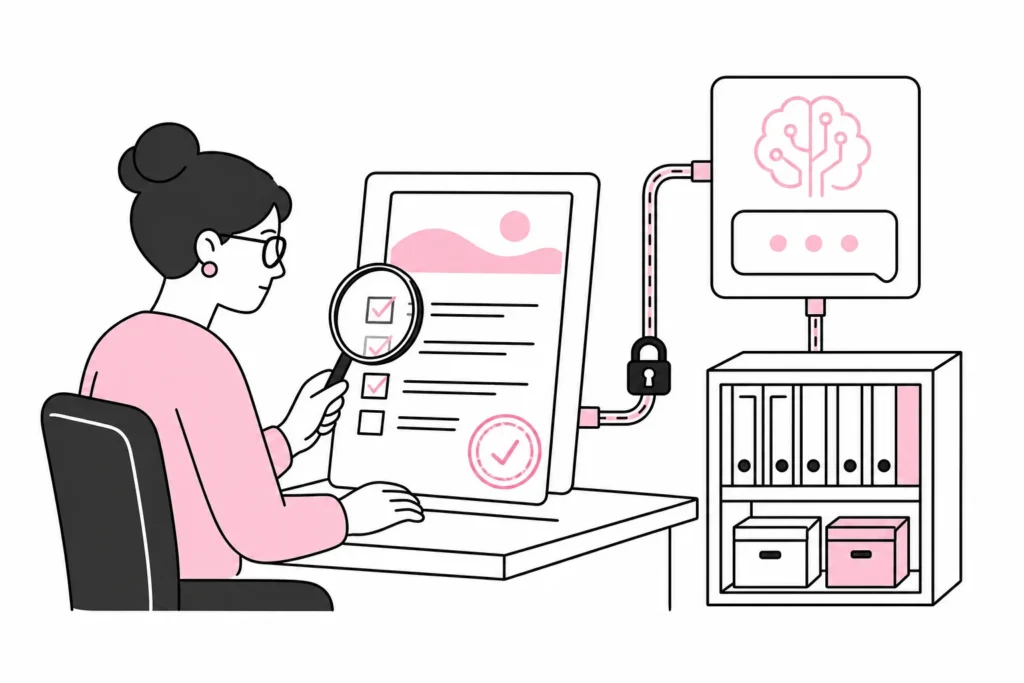
AI-generated content should have a named human owner. That person must be able to assess professional accuracy, language, privacy, copyright issues and whether the result fits the specific situation.
- Check names, figures, dates and claims
- Look for invented features, terms or events
- Remove wording that promises more than the company can deliver
- Consider whether the content reveals information from the prompt
- Document human approval for important decisions
Be especially careful with integrations and plugins that can read content directly from websites, customer systems or document repositories. Giving an AI plugin access to an entire WordPress installation to suggest three headlines is a bit like giving the courier a master key because the package needs to be left in the hallway. Access should be technically restricted, not merely described as restricted in a sales sheet.
Create an AI policy employees can actually use
An internal policy should be short enough to be read and specific enough to address real situations. A 38-page document may look impressive in the audit folder. As guidance on a Tuesday afternoon, it is mainly an advanced way of hiding the answer.
A practical AI policy should at least describe:
- Which AI tools and account types are approved
- Which use cases are permitted, restricted or prohibited
- The traffic-light model, with examples from your own organization
- Who can approve new tools and use cases
- Requirements for quality assurance and human decision-making responsibility
- How accidental sharing or suspicious results should be reported
- When the data protection officer, security officer or legal expertise should be involved
Supplement the policy with short exercises based on everyday work. Have employees classify a customer testimonial, a spreadsheet, a code file and publicly available website text. The disagreements that arise will show where the rules are unclear and which examples are missing.
A simple implementation plan
- Map which AI tools employees are already using.
- Select a few approved services and disable unnecessary integrations.
- Create green, yellow and red classifications with your own examples.
- Clarify responsibility for agreements, privacy, security and professional review.
- Test the rules on three to five common work tasks.
- Make reporting errors simple and free from unnecessary blame.
- Review the arrangement when services, agreements or use cases change.
The short answer, then, is this: Employees can share public, harmless and necessary information in approved AI tools. Internal data requires control over content, agreements and settings. Secrets, access data and protected personal data must be kept out. With clear boundaries, AI can be used as a work tool, not as an unofficial collection point for everything the company knows.