
How do you build a WooCommerce store that can handle more products, orders and integrations without every change becoming a small research project? The answer is rarely to install more functionality. It’s about deciding how data, responsibilities and processes should fit together before the online store becomes complicated.
Many stores start sensibly: a few products, a payment solution and shipping calculations. Then come loyalty programmes, ERP, inventory management, discount rules, subscriptions and three different ways to sell the same product. One plugin per request quickly creates a Swiss Army knife with three corkscrews and no particularly good knife.
A professional WooCommerce solution should therefore be built around a clear core model. Products must be consistent, checkout simple, order data reliable and integrations robust enough to handle errors. Along the way, someone must also be able to operate the whole setup without relying on the person who remembers why a particular setting must not be touched.
Start with a product model that can be managed
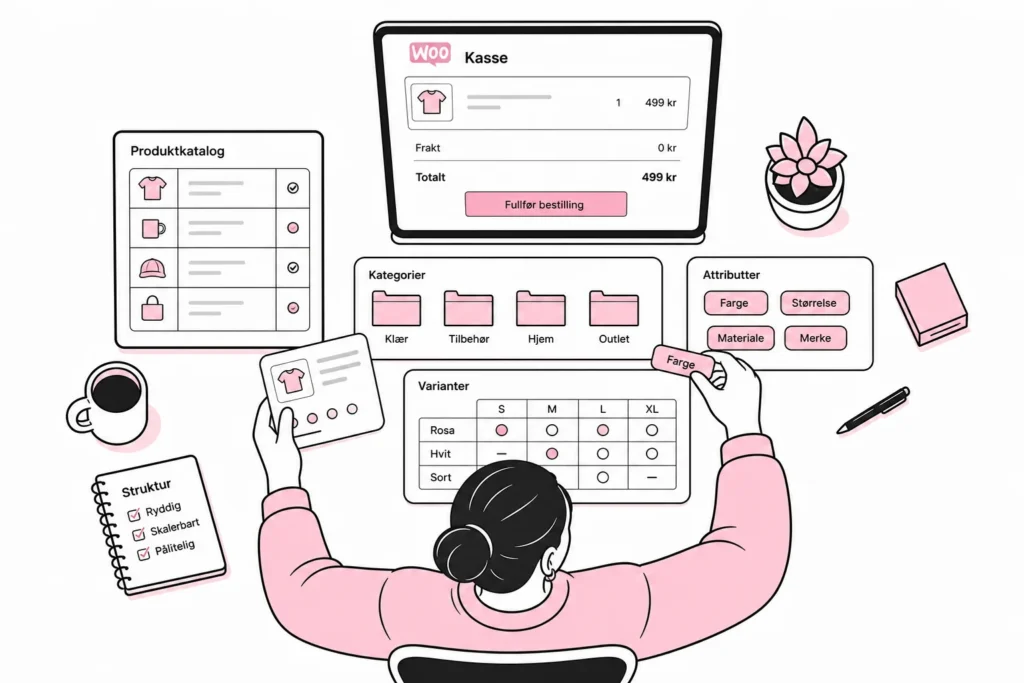
The product structure affects navigation, filtering, search, integrations, pricing rules and reporting. It should not be shaped randomly as the product range expands. Start by defining which properties describe a product, which control variants and which are used only for presentation.
Categories should describe where customers expect to find the product. Attributes should be used for consistent properties such as size, material and colour. Attributes used in filters or variants must have fixed values. If the same colour is recorded as blue, navy, dark blue and blue 02, the filter becomes more contemporary art than shopping aid.
Also decide what makes a product unique. An SKU or other stable product number should follow the item through WooCommerce, inventory, accounting and other systems. Names and URLs can change; the identifier should not. Variants should likewise have their own identifiers when they are stocked, priced or reported separately.
Then clarify which system owns each data field. Perhaps the ERP system owns price and inventory, while WooCommerce owns sales copy and images. Without such ownership, two systems can overwrite each other, and the latest synchronisation wins regardless of which one was actually correct.
- Define mandatory product data before importing or publishing.
- Use fixed values for attributes included in filtering and variants.
- Give products and variants stable, unique identifiers.
- Document which system owns price, inventory, copy, images and status.
- Avoid creating nearly identical products when the difference is actually a variant or pricing rule.
Spreadsheets can work well for quality assurance and bulk changes. They work less well as a permanent product database when the tabs are called NEW, NEW2 and FINAL_THIS_ONE. As the product range grows, imports and updates should follow validated rules rather than manual copying.
Make checkout short, predictable and technically robust
Checkout should collect what is necessary for payment, delivery and legally required documentation. Every additional field should have a named recipient and a specific purpose. Checkout is not the place for a questionnaire designed by a cross-functional committee with an unused budget.
Start by mapping which data the payment provider, carrier, accounting system and customer service actually need. Remove the rest or collect it later. Also consider whether customers need to create an account. For many stores, guest checkout combined with the option to create an account after placing an order creates less friction than requiring a password before payment.
The technical flow must handle more than successful purchases. Customers may cancel payment, reload the page, try again or be redirected back before the payment confirmation has finished processing. The order should therefore not be marked as paid simply because the browser returns to a thank-you page. Payment status must be confirmed through the server-based notification from the payment solution.
Test checkout as a series of events, not just as a polished page. Check what happens when a discount code is invalid, a shipping option disappears, inventory changes midway or payment fails. The customer should receive an understandable message, while the system retains enough information for the error to be investigated.
- Test the mobile experience with actual payment and shipping options.
- Check purchases with and without discounts, an account and an alternative delivery address.
- Test cancelled payments, failed payments and new payment attempts.
- Check that order totals, taxes, shipping and discounts are transferred correctly.
- Avoid heavy tracking scripts and features that are not needed in checkout.
The cart and checkout are personal pages and generally cannot be treated as static content in a cache. Good performance must therefore come from efficient code, sensible database queries, limited scripts and fast external services. A fast product page helps little if shipping calculations take so long that the customer has time to inspect the store’s organisational chart.
Build integrations that can handle errors and retries
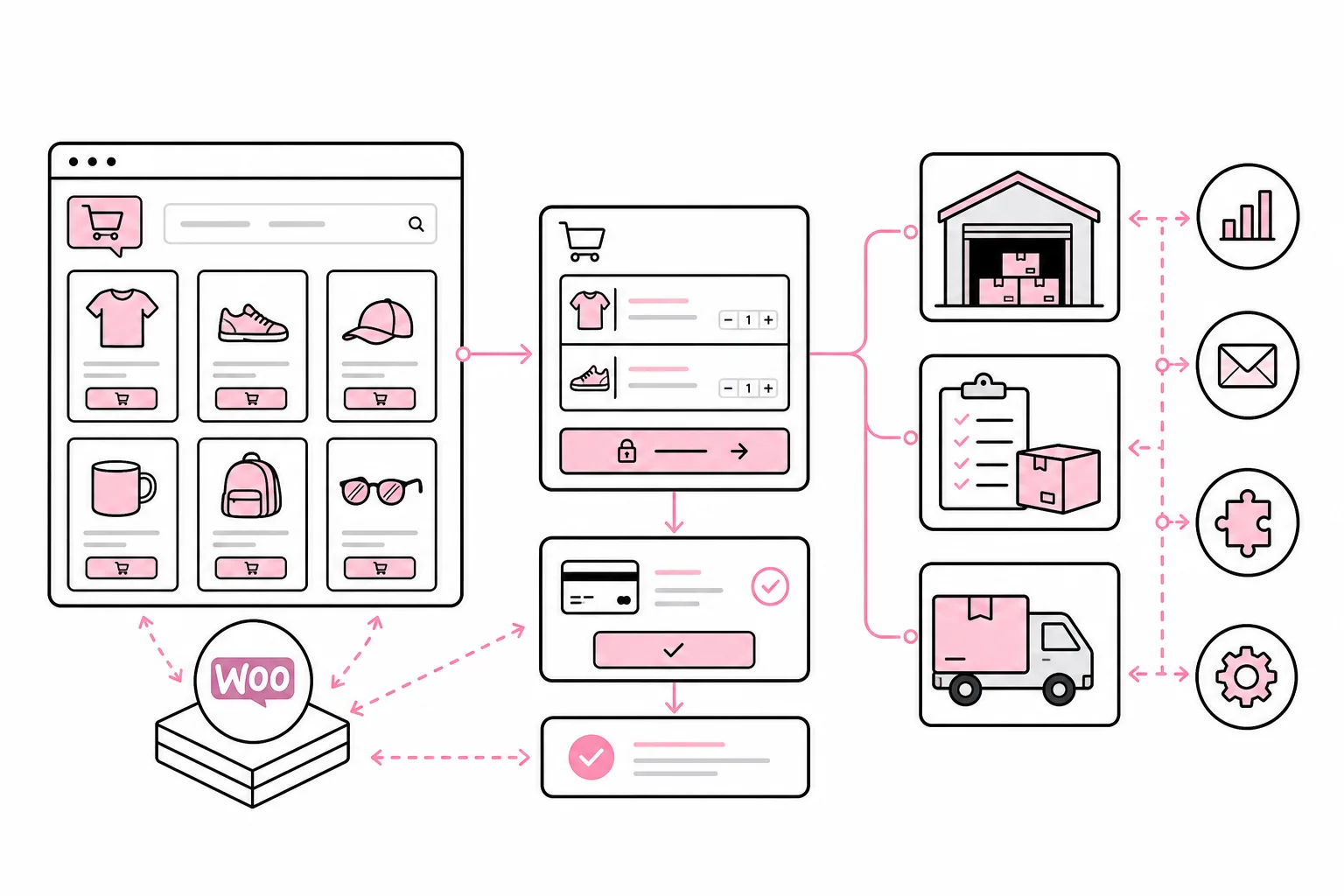
Professional online stores often exchange data with inventory, shipping, accounting, CRM and product information systems. The most important integration decision is not which tool to use, but which direction the data should flow, who owns it and what happens when the recipient does not respond.
Magic two-way synchronisation often turns out to be two scheduled jobs in a trench coat. If both WooCommerce and an external system can change the same field, you need clear conflict rules. A better model is usually for one system to be the master for each data area, while the others receive and use its values.
Integrations should process events in a way that tolerates repetition. If the same payment confirmation or inventory update arrives twice, it should not create two invoices or deduct inventory twice. This is called idempotent processing and is usually solved by storing a unique event or transaction identifier.
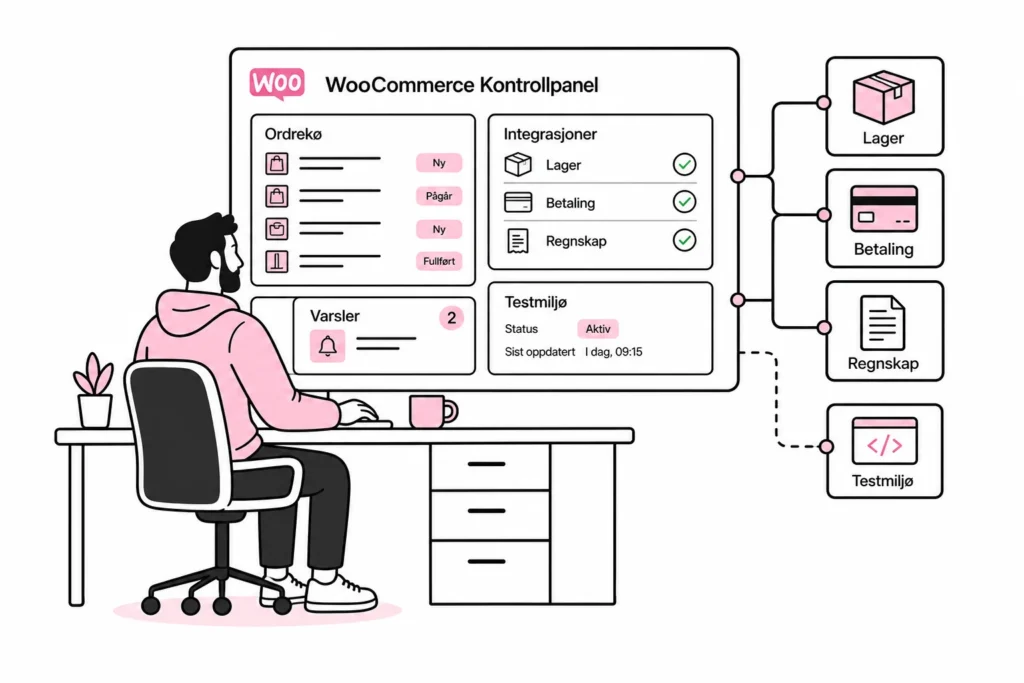
Do not make the customer’s screen wait while an entire chain of external systems works. Tasks such as exporting to an ERP, sending data to the warehouse and updating customer data can often be placed in a queue and processed in the background. The solution can then retry after temporary errors without the customer having to repeat the purchase.
- Describe which data is sent, in which direction and at what point.
- Define a master system for each central data field.
- Use unique identifiers for products, orders and integration events.
- Place background tasks in a queue with controlled retries.
- Log both successful and failed transfers with relevant order IDs.
- Alert when errors remain unresolved instead of relying on someone to discover them by chance.
Integration logs must be understandable to those responsible for following up. A message saying that something went wrong is of little value without an order number, timestamp, action and response. At the same time, logs should limit personal data and payment information to what is actually necessary for troubleshooting.
Make operations part of the solution
A professional online store is not finished when it launches. It needs to be updated, monitored and changed without routine adjustments becoming high-risk work. This requires a staging environment, a controlled rollout process and a plan for what must be verified after changes.
The staging environment should resemble production in terms of configuration, integrations and core data structures. A staging environment that shares only the logo with production mainly supports optimism. Use representative, anonymized data and separate test keys wherever external services provide them.
Plugins should be treated as software dependencies, not free decoration. Before installing one, consider whether the need can already be addressed in the existing code, whether the plugin affects checkout or order data, and who will be responsible for maintaining it. Fewer, carefully chosen extensions make testing and troubleshooting easier.
- Monitor product pages, the cart, checkout and payment confirmations to ensure they work.
- Monitor failed background jobs and integration queues.
- Test updates in a representative environment before deploying them to production.
- Maintain a verified backup and a documented recovery plan.
- Document critical settings, data owners and dependencies.
- Conduct regular test purchases through the entire order and refund process.
The right foundation does not make WooCommerce complicated. It moves complexity from random errors to deliberate choices. When product data follows consistent rules, checkout asks only for what is necessary, integrations can withstand interruptions and operations have clear ownership, the store can grow without the technology having to be reinvented for every campaign.