
When a business website has technical errors, outdated content, poor navigation and slow pages all at once, it can be difficult to know where SEO work should begin. The answer is rarely to fix every issue in an analytics tool or publish as many articles as possible. Instead, start with the pages and user journeys that matter most to the business.
The practical task is to identify which searches you should be visible for, which pages should address those searches, and what prevents the pages from being found, understood and used. This allows technical SEO, information architecture, search intent, internal linking, Core Web Vitals and content work to be assessed as parts of the same deliverable.
Choose One Important User Journey Before Opening the Toolbox
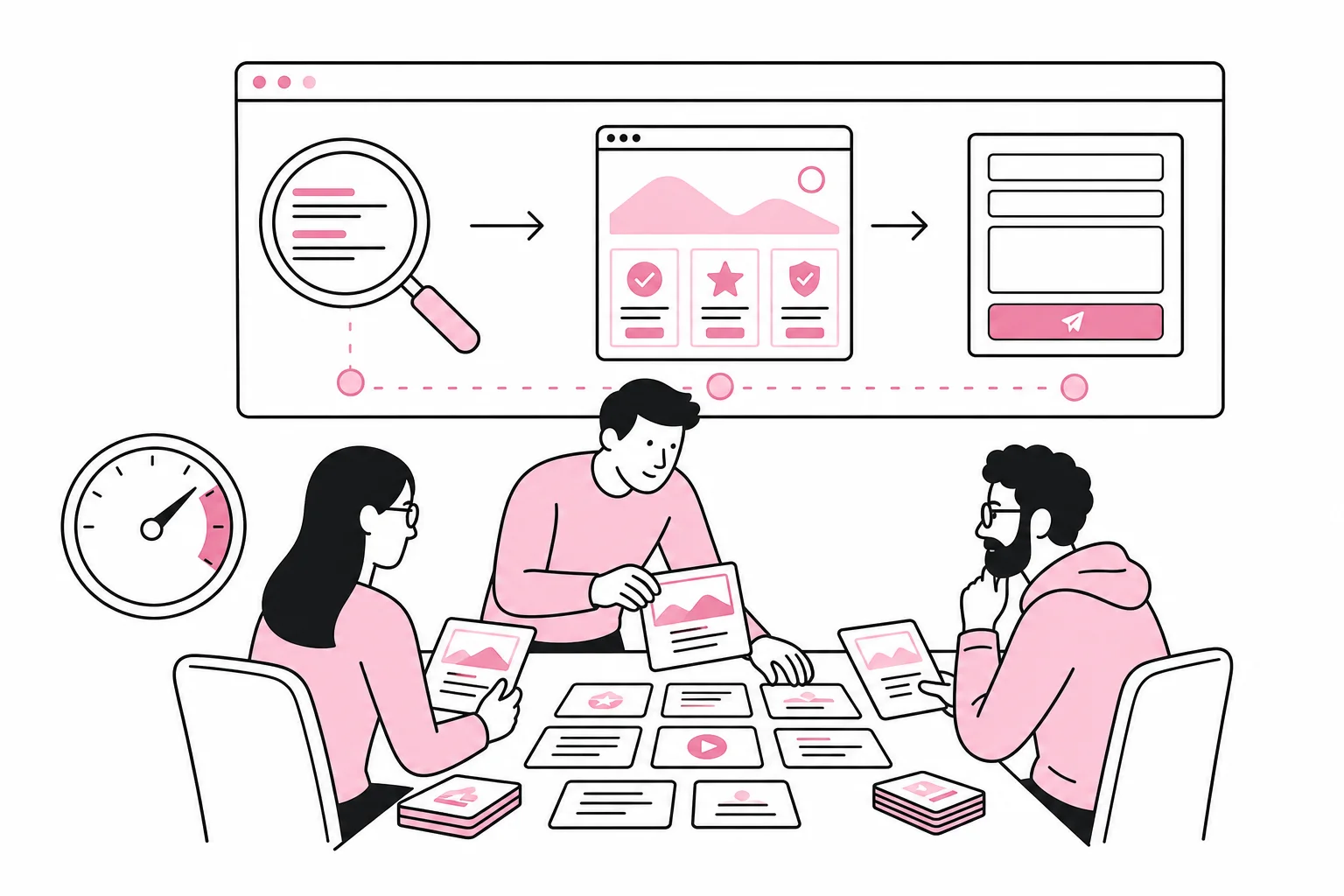
Start with a specific user journey that has clear business value. For an accounting firm, this could be the journey from a search for accounting services for small businesses to a relevant service page and then to the contact form. For an industrial company, it could be from a search for a specific production method to documentation, a case study and an enquiry.
This kind of scope makes prioritization manageable. You avoid discussing the entire website at once and can investigate whether the most important pages actually support one another. Ideally, choose a journey that includes a commercial landing page, one or more supporting pages and a clear action.
Describe the Journey with Five Questions
- Who is searching? Describe the person’s role, needs and level of prior knowledge.
- What is the person trying to accomplish? Distinguish between learning, comparing, choosing and making contact.
- Which page should be the primary answer? Choose one clear landing page for the central search need.
- Which questions must be answered before the next step? This determines which supporting pages and content sections you need.
- What action do you want the user to take? This could be submitting an enquiry, booking an assessment or contacting an adviser.
If you cannot identify one primary page for an important search need, the problem is often structural. Several partially relevant pages may compete for attention, while none of them provides a complete answer. In that case, clarify page ownership before fine-tuning titles, copy and metadata.
Check Whether Search Engines Can Find and Understand the Main Page
Once the user journey has been selected, carry out a focused technical review. The goal is not to collect as many issues as possible, but to identify factors that may prevent the main page and supporting pages from being indexed, interpreted or ranked.
- Can the pages be reached through the website’s internal navigation, or do they exist only through search and campaign links?
- Are important pages available for indexing, without conflicting instructions?
- Do the pages return the correct technical response, without unnecessary redirect chains?
- Are there multiple URLs or page variants with almost identical content?
- Are the main content, headings and links available without critical functionality having to load late?
- Do the pages have unique and descriptive page titles, main headings and meta descriptions?
Prioritize issues by impact. An important service page that cannot be indexed is more serious than a weak meta description on an old news story. A broken internal link in a central user journey should normally be handled before cosmetic issues on pages with no traffic or business value.
At the same time, assess Core Web Vitals for the relevant page types. The key metrics concern how quickly the main content becomes visible, how responsive the page is during interaction, and whether the content shifts while loading. Where sufficient data is available, use real user data whenever possible. Laboratory tests are useful for troubleshooting, but they do not by themselves describe how all visitors experience the page.
Common causes of poor performance include oversized media files, fonts that block rendering, unnecessary scripts, heavy third-party services and components that do not reserve space. Connect the measure to the page type: Improving a slow service template used on 30 key pages is more important than optimizing a single page that few people visit.
Match Each Page with a Clear Search Intent
A page can be technically flawless and still perform poorly because it addresses the wrong need. Search intent describes what the user is trying to achieve. On a business website, it is particularly important to distinguish between informational needs and commercial considerations.
Someone searching for what a method involves expects an explanation. Someone searching for a provider of the same method needs information about delivery, expertise, applications, process and next steps. If both needs are forced onto one page, the result may be an unclear text that works well neither as guidance nor as a service presentation.
Create a Simple Map of Search Needs
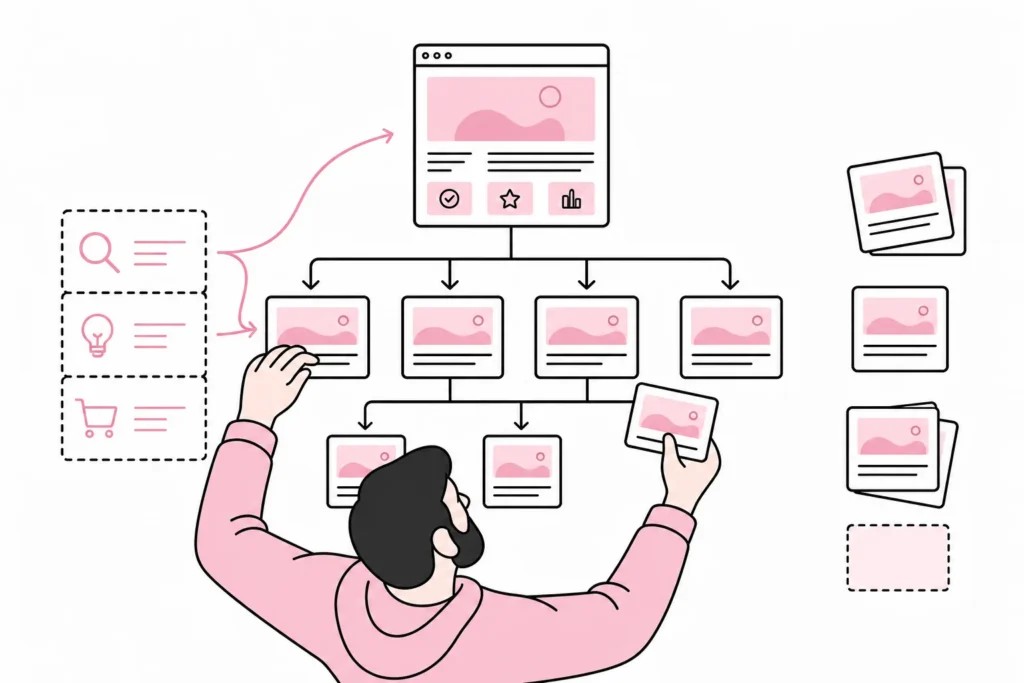
Create an overview of search needs, intent, the main page and supporting pages. A service page can be the main page for a commercial search, while expert articles answer specific questions about selection, implementation, risk and maintenance. Case studies can document how something is used, but should not normally be the only explanation of what the business offers.
For each main page, check the following:
- Is it clear at the beginning of the page what the business delivers and who the offering is for?
- Does the page answer questions a potential customer needs answered before making contact?
- Does the text demonstrate genuine expertise, working methods and limitations?
- Is it easy to find pricing information, process details or other decision criteria when relevant?
- Does the page offer a natural next step without hiding the action behind generic wording?
Useful content is not the same as lengthy content. A short page can be effective if it provides a precise answer and guides the user onward. A long page can be weak if it repeats keywords, obscures the main point or uses many paragraphs on information that does not affect the decision.

Use internal linking to show context and priority
Internal links help both users and search engines understand how the content fits together. They should not be added randomly or simply collected in a box at the bottom of the page. Place links where readers actually need an explanation, documentation or a natural next step.
An expert article about choosing a solution can link to the relevant service page when the reader moves from research to evaluation. The service page can then link to a more detailed article about the process or to a relevant project. This creates a coherent content structure around a topic.
The link text should describe the target page. Phrases such as see how the migration process is carried out are more informative than read more. At the same time, avoid forcing in many similar links. Each link should have a clear function in the user journey.
Prioritise measures with a simple assessment
When the review is complete, assess each measure based on three factors: business value, SEO impact and workload. Measures with high value, clear impact and moderate effort should normally come first.
- Remove critical obstacles. Fix indexing issues, inaccessible pages, incorrect redirects and broken user journeys.
- Clarify page ownership. Decide which page should address each important search need.
- Improve the primary answer. Make the service page clearer, more useful and better aligned with search intent.
- Build the supporting structure. Update or create content that answers questions before a decision is made.
- Strengthen internal linking. Connect supporting pages, the main page and the next action.
- Improve performance across the page type. Prioritise templates and components that affect many important pages.
After the changes, monitor more than rankings in search results. Also look at whether the right pages are gaining visibility, whether visitors continue along the planned journey, and whether relevant enquiries are actually increasing. SEO work is not successful simply because traffic grows; the traffic must reach pages that meet a need and support the business’s goals.
The best way to start SEO is therefore not to carry out a general clean-up of the entire website. Choose one business-critical user journey, identify the obstacles in the right order and improve the entire chain from search to action. When the method works, it can be repeated for the next service, product area or target audience.