
Allowing employees to use their personal phones for work seems simple: They already have a phone, and the company does not have to buy one. Then the questions arise. Who helps when the work app does not work? Can the company delete data when an employee leaves? What happens if the phone is shared with children, lacks updates or is lost?
This is not just a choice between “yes” and “no” to personal phones. The company must decide which work tasks can be performed on a personally owned device, which data it should be allowed to access, and how much administration is necessary. Without a deliberate decision, you may end up with a BYOD arrangement anyway, established by chance and a colleague who “was just checking their email.”
When is using a personal phone for work a sensible choice?
BYOD means “bring your own device”: The employee owns the phone but uses it for certain work tasks. This can work well when the need is limited to email, calendars, authentication and a few approved apps. The main benefit is that employees can use a familiar device and avoid carrying two phones.
The arrangement is less suitable when the phone is used to process sensitive information, administer critical systems or store large amounts of company data. The same applies to employees who need extensive technical support, specialized apps or stable access that is essential to their work. In such cases, a company-owned and managed phone usually provides better control.
Think of BYOD as using an employee’s personal car for deliveries. It may be perfectly fine for an occasional envelope, but less suitable when the car becomes a permanent part of the logistics chain. Ownership, maintenance, insurance and responsibility become much more significant when usage shifts from occasional to critical.
A simple assessment can be based on these questions:
- Data types: What information can the phone display, store or copy?
- Business-critical use: Would important tasks come to a halt if the phone or apps failed?
- Access level: Does the user have administrative rights or access to particularly vulnerable systems?
- Support needs: Is the company expected to troubleshoot the personal device?
- Privacy: Can the company manage work data without unnecessary insight into personal use?
Choose between full device management and management of work apps
On a company-owned phone, the organization can use mobile device management, often called MDM. This makes it possible to set requirements for screen locks, encryption, operating systems, approved apps and data deletion, among other things. On personal phones, the same level of control can feel too intrusive because management also affects a device the employee uses privately.
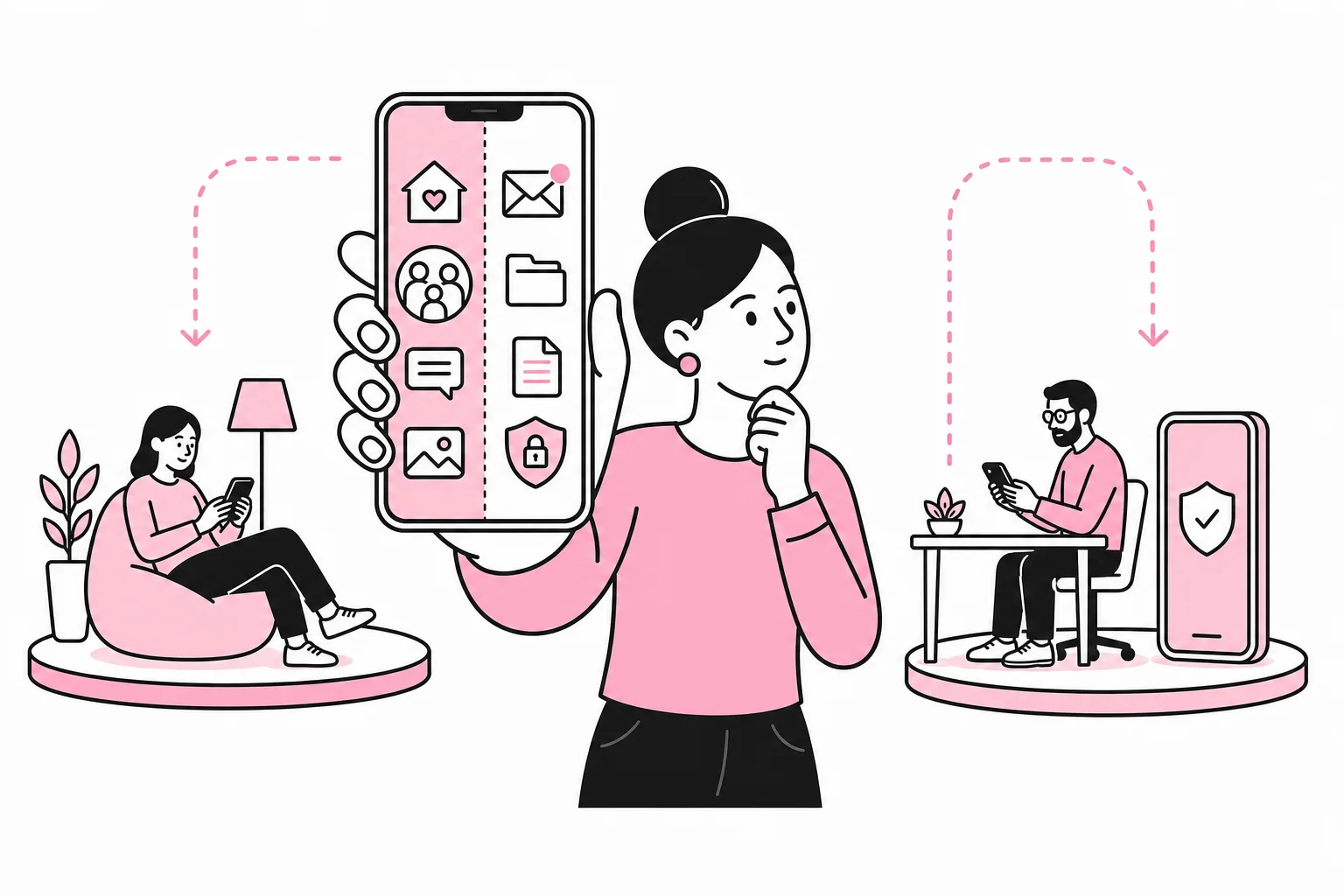
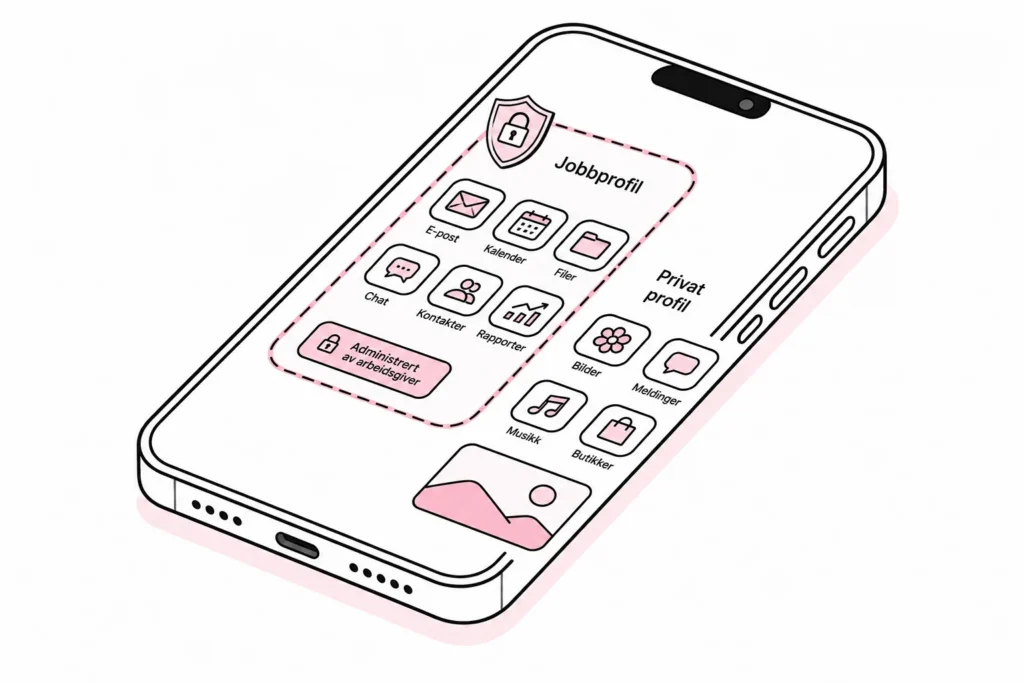
An alternative is managing apps and work data, often referred to as MAM. Here, work-related content is protected within specific apps or a separate work profile. For example, the company can prevent copying from a work app to a personal notes app, require additional authentication and delete company data without resetting the entire phone.
A work profile or app container is not an invisibility cloak, however. It reduces the mixing of personal and work data, but must be combined with access controls, up-to-date devices and clear rules. Vendors may call this “frictionless mobile transformation,” which is an impressively long way of saying that email should be in the right app.
The company should configure the technology based on risk, not on the number of features in the management portal. A control panel with twelve modules is not automatically more secure than four clear requirements. It is simply more control panel, a resource the tech industry has rarely lacked.
This must be clarified before employees connect personal phones
1. Define which services are allowed
Create a specific list of what employees can use from a personal phone. This might include email, calendars, meetings, an authentication app and specific business systems. Avoid wording such as “relevant work services.” Such terms are quickly interpreted creatively when someone discovers that the financial system technically opens in a mobile browser.
2. Set minimum technical requirements
The requirements should be measurable. Examples include a supported operating system, an active screen lock, encryption, automatic locking and no known modifications that weaken the device’s security model. Access can also be made conditional on the device meeting the requirements. At the same time, you should decide what happens when a phone can no longer be updated.
3. Separate deletion of work data from deletion of the entire phone
Employees must understand what actions the company can take. On a personal phone, the normal aim should be to remove the work profile or work data, not personal photos, messages and apps. If the technology cannot reliably distinguish between these areas, that is a strong argument for limiting access or providing a company phone.
4. Clarify support and costs
Describe who gets help, with what and how far that help extends. IT can support sign-in and approved apps without taking responsibility for personal cloud storage, a broken screen or an operating system full of home-screen tools. The company should also clarify any coverage of subscriptions, mobile data and necessary use during working hours.
5. Create a realistic process for loss and departure
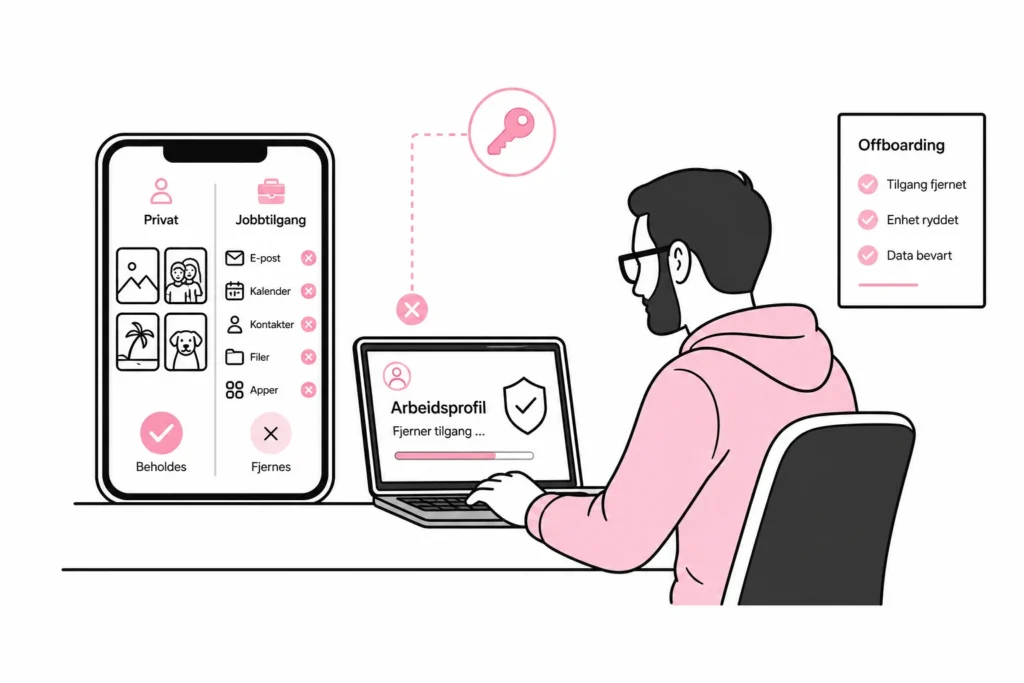
If a phone is lost, employees must know who to contact, how access is blocked and how work data is removed, if possible. When an employee leaves, access should be closed, active sessions terminated and the work profile deleted. The process should be possible to complete quickly, without a form that first has to be approved by someone who left last year.
A practical decision model for the company
Most organizations do not need to choose one model for everyone. A role-based solution is often more precise than a general mandate. Employees with limited access can use personal phones under defined conditions, while roles with higher risk or extensive mobile use receive managed company phones.
- Personal phone without storing work data: Suitable for certain authentication solutions and very limited use.
- Personal phone with managed work apps: Suitable for email, calendars, meetings and approved apps when work data can be separated from personal content.
- Company-owned phone with permitted personal use: Suitable when the business needs clear control but wants the employee to use a single phone.
- Fully managed work phone: Suitable for sensitive data, critical work processes, specialized apps, and high support or security requirements.
A company-owned phone with limited private use can be a good compromise. The business owns and manages the device, while the employee avoids carrying around a small museum of nearly identical screens. The model still requires clear information about what the company can see and control.
Before introducing control measures on private devices, the purpose, necessity, data processing, and information provided to employees must be properly assessed. Privacy and employment-law considerations should be clarified based on the business's actual solution and use. A consent checkbox alone does not make extensive device control reasonable or necessary.
The practical rule of thumb is simple: Allow personal phones when use is limited, work data can be isolated, and the employee is given clear information. Choose a company-owned phone when the mobile device is a critical work tool, handles sensitive information, or requires extensive management. This avoids turning the employee's private phone into an office, access card, archive, and involuntary IT project all at once.