
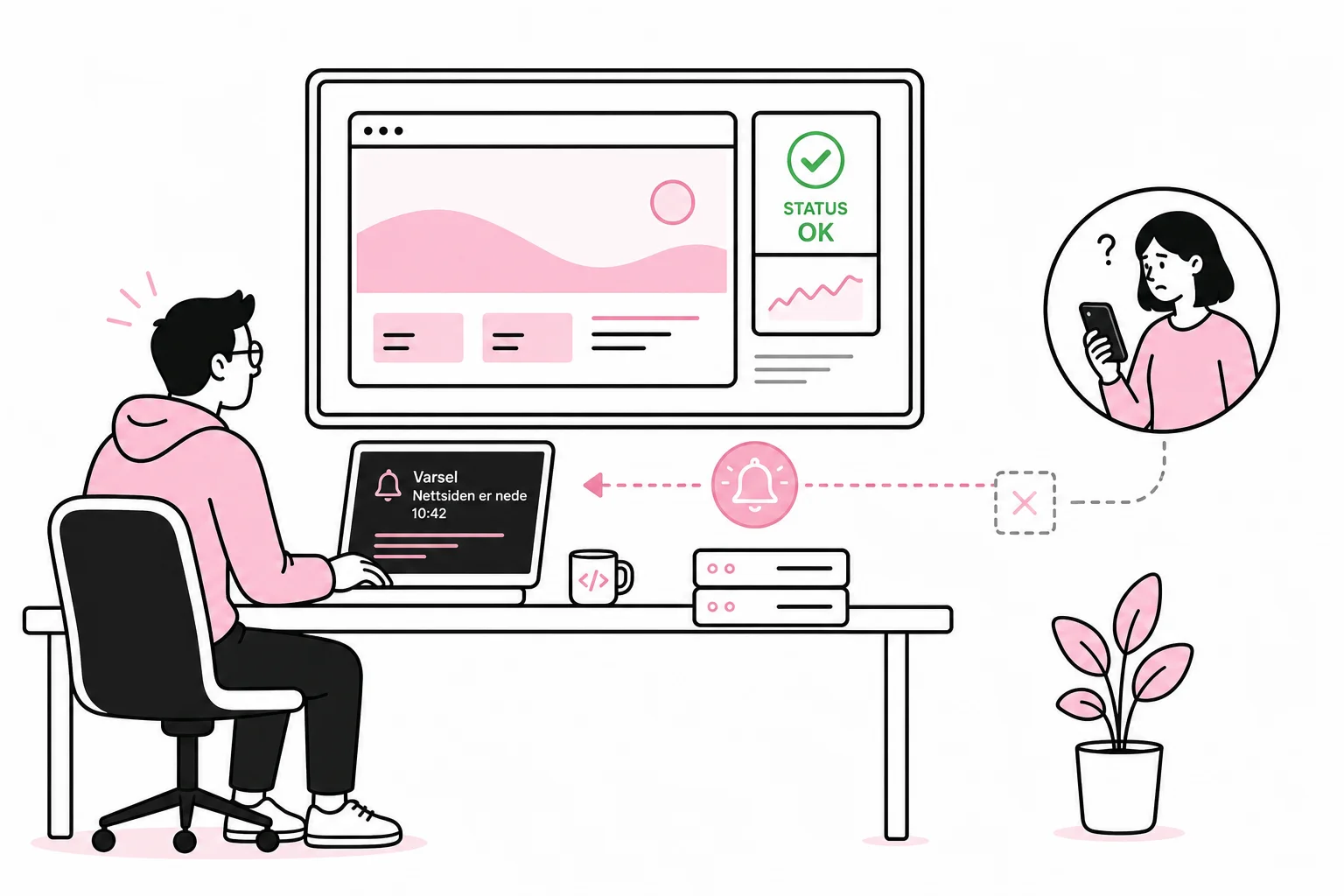
A customer calling to ask whether the website is down should not be the company’s most important monitoring system. It is admittedly a very human solution, but it has an inconsistent response time and a tendency to start working only after revenue has stopped.
Technical monitoring can detect operational failures, slowness and broken user journeys before the problem becomes visible to customer service. The challenge is monitoring what actually matters. A green light for the homepage is of little use if login, forms or payments have stopped working.
The specific question is therefore not just whether the website is up. You need to know whether users can complete the tasks the website is designed for, and who should respond when the answer is no.
Start by defining what “down” means
A website can respond technically while still being unusable. The web server can return a successful status code while the page displays empty content, lacks product data or sends forms into a black hole. The door is open, but the staircase inside has been removed.
Therefore, make a short list of the functions that are critical to the business. For an online store, these might be product search, the shopping cart and payment. For a service business, they might be a contact form, appointment booking and login. For a website primarily providing information, availability, search and publishing may be most important.
Assess each function based on the consequences of failure:
- Critical: The error stops sales, login or a central customer service.
- Serious: An important function works poorly, but there is a workaround.
- Limited: The error affects individual pages or less important elements.
This prioritization determines how often the function should be tested, who is notified and how quickly someone must begin investigating. Not everything needs to wake up a developer at night. A misplaced row of icons can usually wait until breakfast.
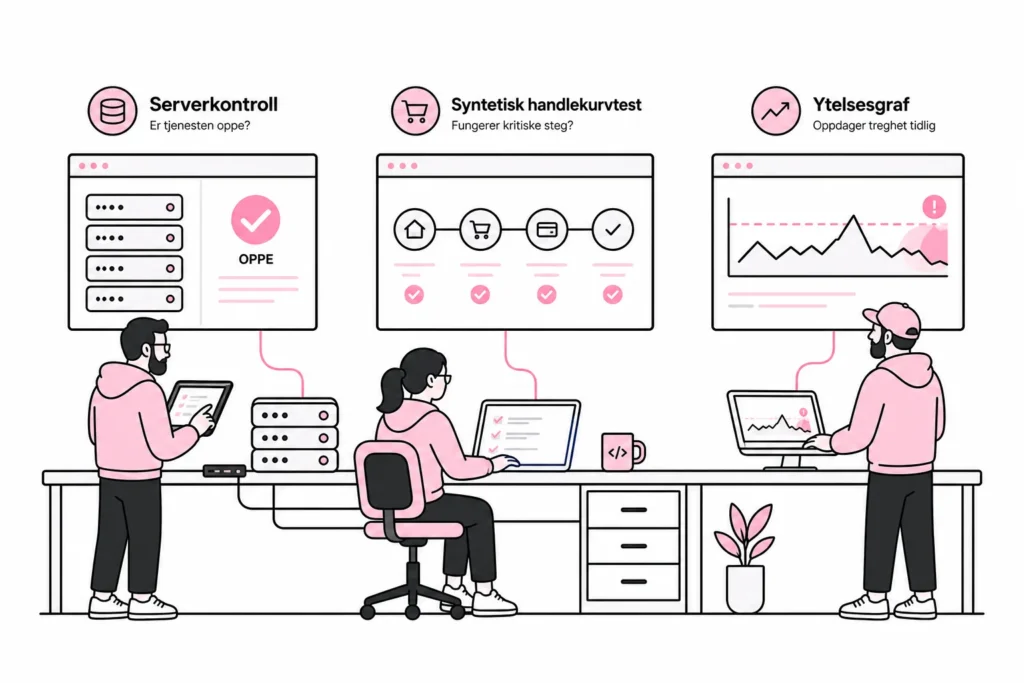
Use multiple types of monitoring
Availability monitoring
The simplest check sends regular requests to the website and verifies that it responds with the expected status code within a reasonable time. The check should run from an external service, preferably from multiple geographic locations. This allows you to detect both complete downtime and problems affecting only specific networks or regions.
Don’t monitor only the homepage. Choose a few representative URLs, such as a product page, an article, the login page and a page that depends on external data. At the same time, make sure the checks do not place unnecessary load on the website.
Synthetic user tests
A synthetic test imitates a user and carries out a defined task in a browser. It can search for a product, add it to the shopping cart or fill out a test form without submitting a real order. This reveals errors that a simple availability check cannot detect.
Tests should be short and robust. If they depend on specific campaign banners, random content or minor design changes, you will receive alerts every time someone moves a button. The monitoring then becomes a very expensive detector of editorial adjustments.
Performance and error monitoring
Measure response times over time, not just whether the server responds. A gradual increase may signal capacity problems, slow database calls or an external service slowing down the entire site. Also monitor errors in the browser and on the server, so you can see what happened before and during the incident.
A plugin that promises complete monitoring inside the publishing solution may be tempting. It is roughly equivalent to placing the smoke detector inside the cabinet that is burning: practical until you need it. Critical checks should sit outside the system they monitor.
Real user data
Data from actual visits can show whether particular devices, browsers or page types are experiencing problems. This is useful when the error does not affect everyone. Such measurements must be set up with due regard for privacy, data minimization and the organization’s legal basis for processing. You rarely need to identify individual users to detect that checkout has become slow.
Alerts must lead to action
Monitoring without a clear alerting plan primarily produces colorful dashboards. A dashboard with 48 green graphs looks impressive, rather like the cockpit of an aircraft no one has been trained to land.
Every critical alert should have an owner. Clarify who receives it during working hours, what happens outside working hours and when vendors should be involved. Alerts should use a channel that is actually monitored, not an inbox where automated messages accumulate in geological layers.
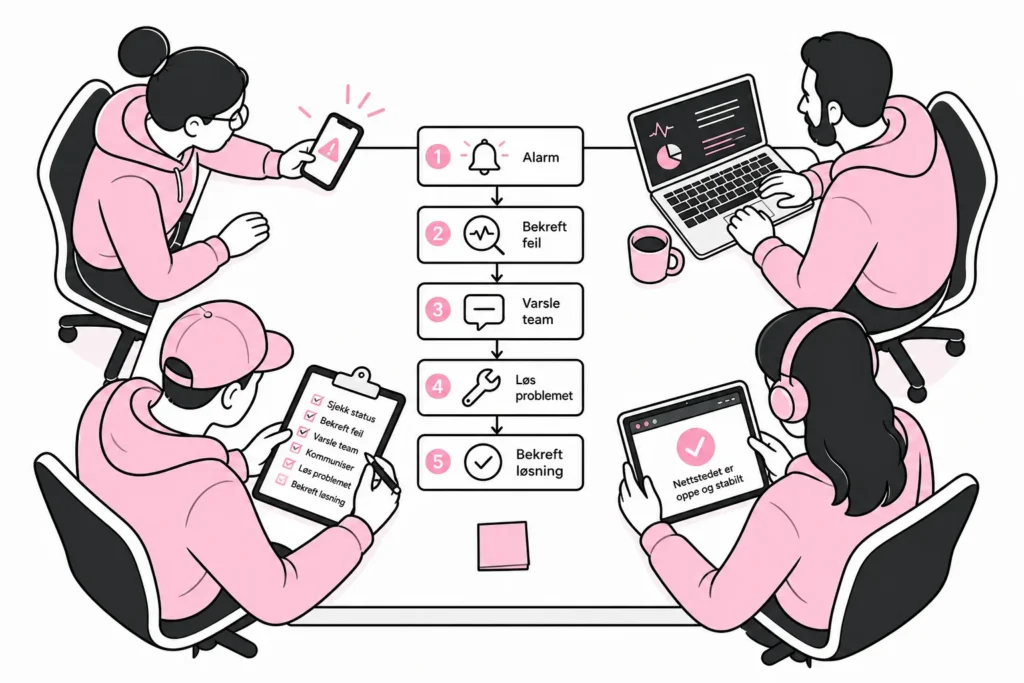
Avoid triggering an alert after a single failed check. Networks can experience brief interruptions that do not mean the service is down. Where possible, confirm the error from multiple locations or through repeated checks before the alarm goes off. For critical functions, the threshold should be stricter than for less important pages.
A simple response process might look like this:
- Confirm whether the error is real and how many users it affects.
- Check recent publications, deployments and changes to integrations.
- Determine whether the problem lies with the website, the infrastructure or an external service.
- Stop or roll back the relevant change if it is safe to do so.
- Inform people internally and update customers when the incident materially affects them.
- Document the cause and actions taken once the service is stable.
The plan should be short enough to use under pressure. If the first action requires three approvals, a status meeting and a working group with a new name, the error has a good chance of becoming permanent.
A practical minimum solution
Most business websites do not need an observability platform sized for spaceflight. Start with a sensible setup that covers the most important risks, and build on it when you identify a real need.
- External checks of the homepage and selected critical pages.
- Response-time measurement and alerts for clear deviations.
- Synthetic testing of one to three key user journeys.
- Monitoring of server errors and serious browser errors.
- Alerting named individuals with an agreed backup.
- A short routine for checking, escalation and communication.
- Regular testing to ensure that alerts actually get through.
Review the setup when the website gains new features, integrations or suppliers. A payment solution introduced last year is not monitored automatically just because someone once set up a check of the homepage. Technology has many qualities, but telepathy is still unreliable.
Review the alerts after a few months of operation as well. Remove checks that only create noise, adjust thresholds that are too sensitive, and add tests where you have experienced real problems. The goal is not to have as many alerts as possible, but to receive early and precise information about errors that affect the business.
Good monitoring does not make the website error-free. It reduces the time from when an error occurs to when someone discovers, understands and handles it. That is the difference between fixing a problem in a controlled manner and having the diagnosis read aloud by the next customer who tries to pay.